ShieldScope runs a deep, read-only security audit across your whole WordPress site and hands you a clear report grouped by severity — without ever slowing your site down.
Most WordPress security tools force a choice: install a heavy always-on suite, or send your site’s data to someone else’s servers just to get a checkup. ShieldScope scans inside your own dashboard and gives you a plain answer.
You either commit to a full firewall suite or do nothing — there's no lightweight option to see where you stand right now.
Many scanners send your site off to external servers to be checked. ShieldScope's 16 checks run inside your own WordPress dashboard — nothing leaves your server except optional, targeted lookups (core-file checksums, and WPScan if you add a key).
Vulnerability data is written for security engineers. You need to know what's urgent and what to do about it, in language anyone can follow.
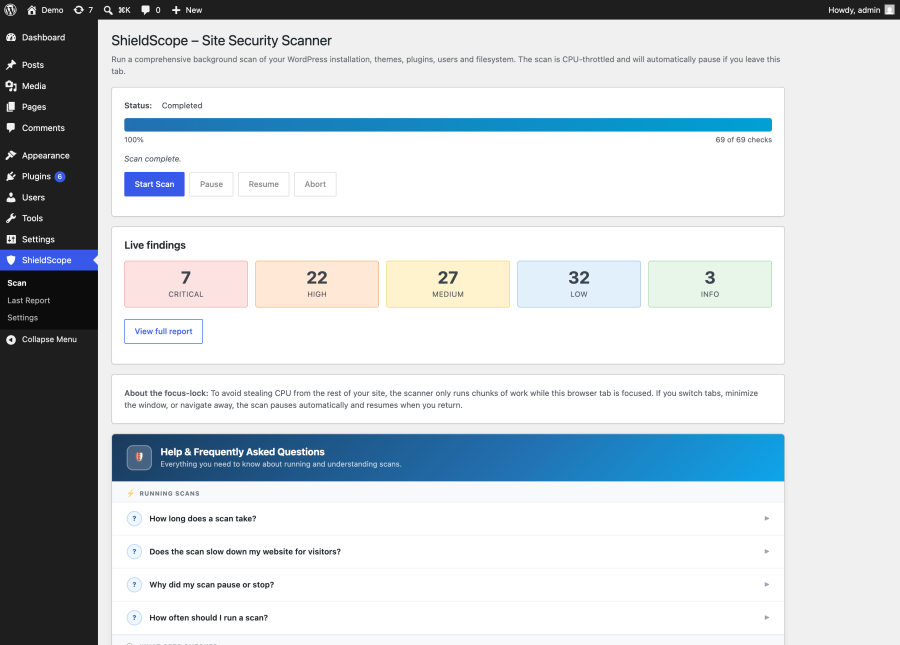
Run a scan any time and get a clear, plain-language read on where your site stands right now.
Verify the basics are covered — weak passwords, exposed files, missing headers, outdated core — before you go live.
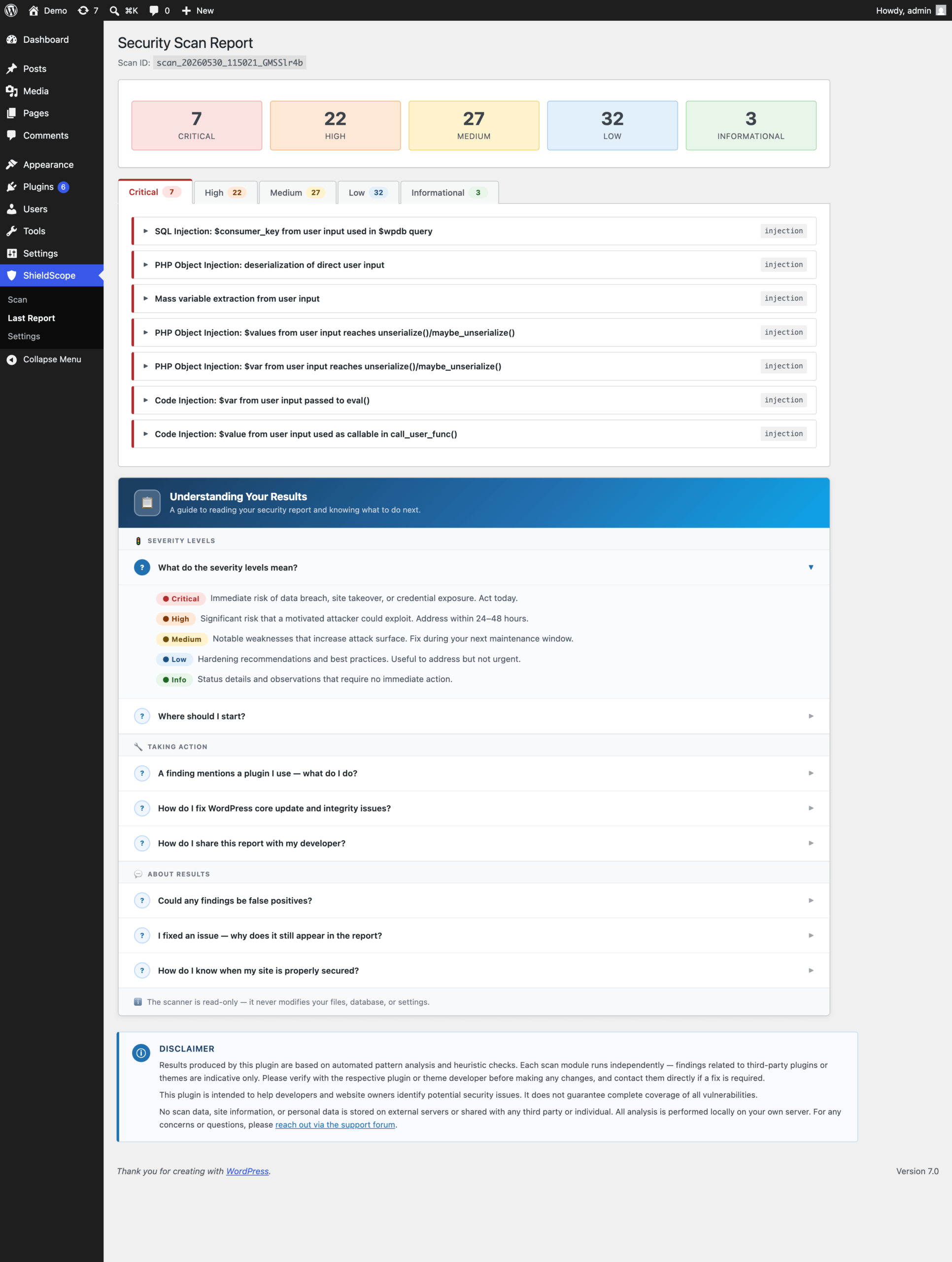
Every findings grouped by severity, in simple language.
Outdated WP, debug flags, insecure setup.
Checks core files vs official checksums
Default admin, weak or empty passwords, exposed logins.
Risky permissions, exposed configs, leftover backups.
Pending updates, inactive or abandoned plugins.
Pending updates, extra inactive theme, active theme.
Malware signatures, hidden backdoors in plugin/theme code.
Cert expiry, weak encryption, mixed content, HSTS.
Clickjacking, MIME sniffing, referrer & version leaks.
Open registration, URL mismatches, rogue admins.
SQL injection, XSS and other code-level attack patterns.
Login & brute-force protection, 2FA, endpoint permissions.
EOL PHP, exposed .env files, debug logs, info leaks.
Code that lets attackers force unauthorised server requests.
EOL database, WP & software with no security patches.
WPScan lookups (optional) + built-in exploited-plugin list.
From install to actionable report in three steps.
Find ShieldScope in your WP admin, click Activate.
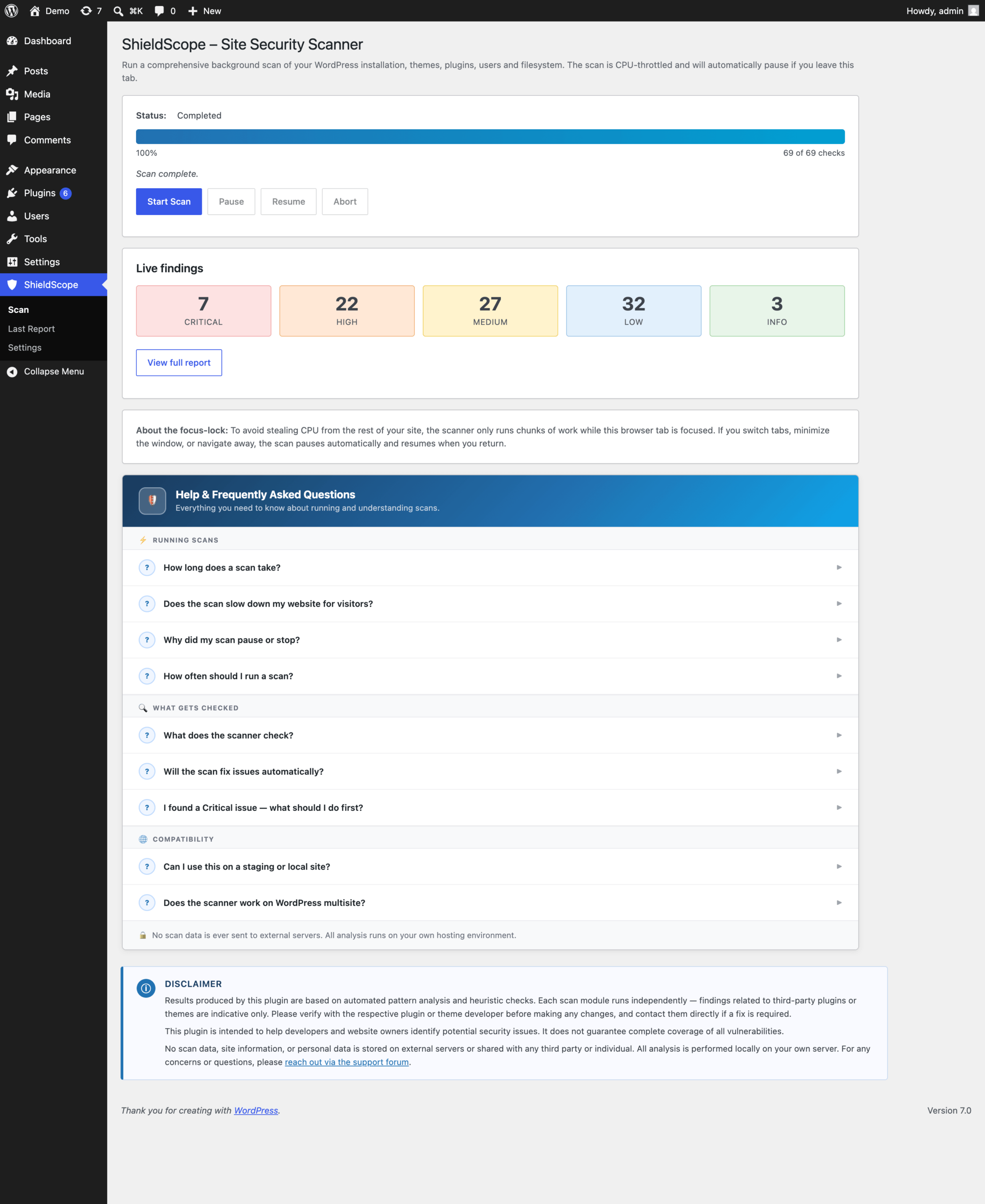
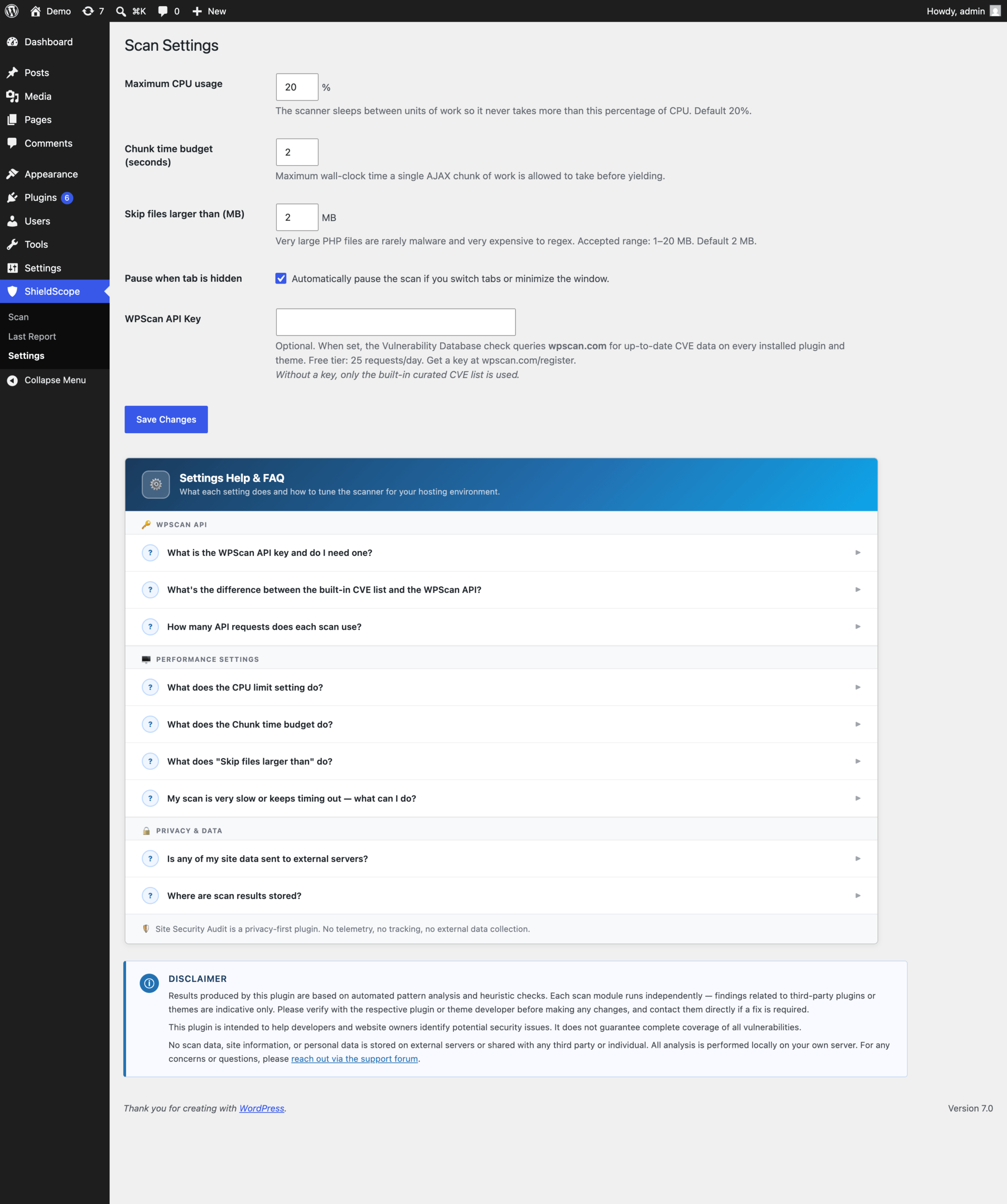
Runs at 20% CPU, auto-pauses on tab switch.
Findings by severity, each with a fix in simple language.
Every issue is ranked by severity so you fix what matters first.
ShieldScope isn’t trying to replace your firewall. It’s the fast, read-only audit you run before launch, after changes, or whenever you want a clear picture of where your site stands.
A built-in speed limiter keeps ShieldScope under 20% of your server's capacity, pausing between each step so visitors never notice a scan is running.
Switch browser tabs and the scan pauses automatically, then resumes exactly where it left off when you return — no stalled scans, no runaway load.
ShieldScope scans, reports, and recommends. It never modifies a file, changes a setting, or touches a user account. Nothing it does can break your site.
Every finding comes with a clear description and a specific action to take — written in simple language, not security-engineer jargon.
Findings are grouped Critical through Info, so you spend your time on real risks first instead of wading through noise.
Scanning runs locally. The only external calls happen during an active scan — the official WordPress.org checksum API, and WPScan only if you choose to add a key.
Install, activate, scan. No signup, no email wall, no upsell gate blocking the core audit.
“Think of it as a pre-flight checklist for your WordPress site — lightweight enough to run often, thorough enough to trust.”
A quick look at scanning, reporting, and configuring ShieldScope.

All scanning runs locally, on your own WordPress install. ShieldScope only contacts external services while a scan is actively running, and only two: the official WordPress.org checksum API, to verify your core files, and, if you choose to add a key, WPScan, for live vulnerability lookups. No site content, URLs, or personal data is ever sent, stored externally, or shared with anyone.
Full details on exactly what’s sent and when are in the FAQ below.
No. Built-in speed limiter, stays under 20% server capacity, pauses between each piece of work. Adjustable in Settings.
Runs through your browser, so it pauses automatically when you switch away and resumes when you return. Can be turned off in Settings.
No. Completely read-only. Only writes its own scan results and progress.
ShieldScope → Last Report in your WP admin, grouped by severity.
Enables live vulnerability lookups (25/day free tier, cached). Without it, still checks against a built-in exploited-plugins list.
Only during a scan, only two calls: WordPress.org checksum API (version + language code) and, if you add a key, wpscan.com (plugin/theme names + versions).
Typically 5–20 minutes depending on site size. Progress saves if you leave and come back.
We’re building a Pro add-on for ShieldScope — scheduled scans, exportable reports, and deeper integrations, installed right alongside the free plugin you already have. Get notified the day it’s ready.
Free, read-only, no account required.
