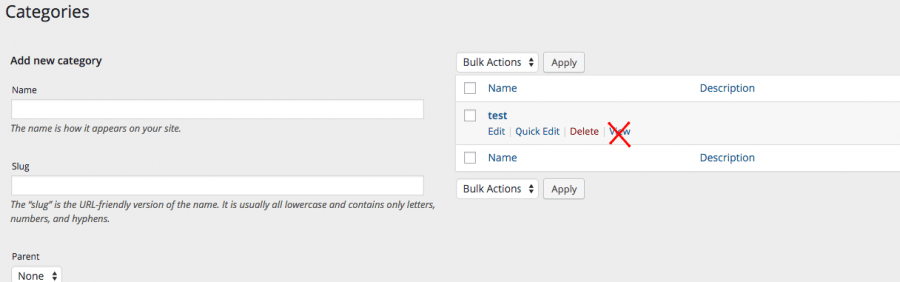
WordPress taxonomy provides flexibility in setting its properties while registering it. To disable WordPress taxonomy archives, set “public” as “false” as shown in below example code. This will remove “View” action link from taxonomy screen and also redirect the user to website homepage when trying to access the URL of a taxonomy manually.
1. Via register_taxonomy() arguments (best for custom taxonomies)
When registering a custom taxonomy, set ‘publicly_queryable‘ and ‘rewrite‘ to false:
register_taxonomy( 'your_taxonomy', 'post', [
    'public'             => false,
    'publicly_queryable' => false,
    'rewrite'            => false,
    'show_ui'            => true, // keep UI in admin if needed
] );2. Redirect archive requests to 404 (for built-in or existing taxonomies)
Add this to your theme’s functions.php or a plugin:
add_action( 'template_redirect', function() {
    if ( is_tax( 'your_taxonomy' ) ) {
        global $wp_query;
        $wp_query->set_404();
        status_header( 404 );
        nocache_headers();
    }
} );View or fork this snippet on GitHub Gist.
For category or tag archives specifically, replace is_tax() with is_category() or is_tag().
Need this done on a live site? Exivon Tech takes on projects and audits, led by me.